How to Guide
AusWing Explorer is a research grade prototype designed to support taxonomic identification of Australian native bees using wing venation geometry. While extensive testing has been conducted, the software may still contain limitations. It should be used as a decision support tool and not as a replacement for expert taxonomic assessment.
Figure 1. Landmark order and placement
Figure 1 illustrates the correct order and placement of the 14 wing landmarks
used by AusWing Explorer.
Landmarks must be placed sequentially from 1 through to 14, exactly as shown.
The analysis assumes this ordering, and incorrect order
will invalidate results regardless of how accurate the
individual landmark positions appear.
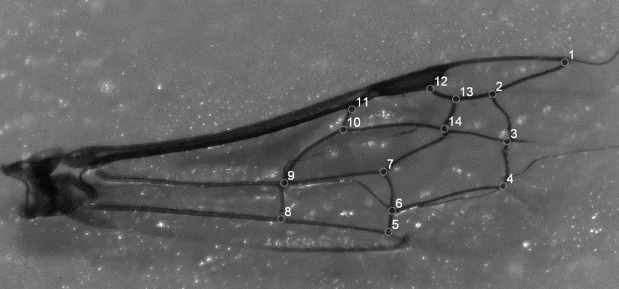
Figure 2. Landmark 3 variation
Figure 2 highlights landmark 3, which exhibits the greatest positional variation
across subgenera.
In cases where two vein intersections appear plausible, users must select the point further inwards
toward the centre of the wing.
This convention is applied consistently throughout the reference dataset and must
be followed to ensure correct alignment.
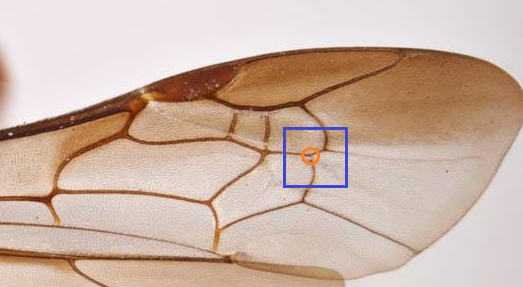
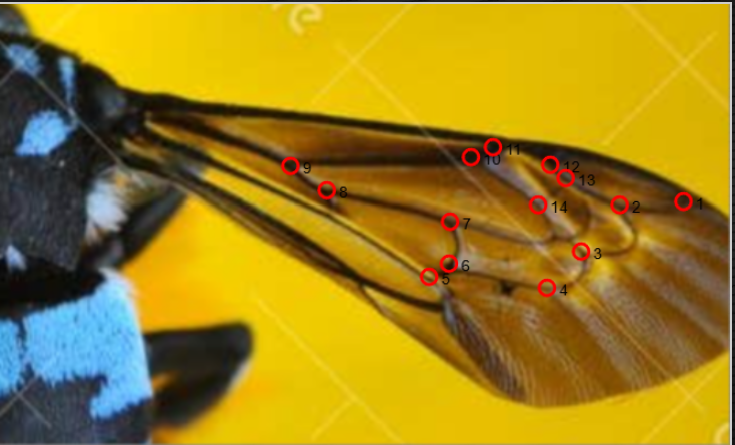
Figure 3. Thyreus venation patterns
Figure 3 demonstrates wing venation patterns in Thyreus. In this group,
landmarks 8 and 9 may appear displaced or visually ambiguous.
These landmarks should be placed at homologous vein intersections rather than perceived symmetry
or spacing.
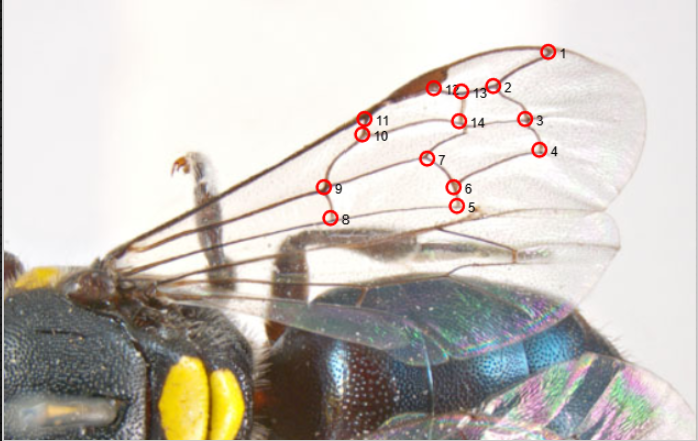
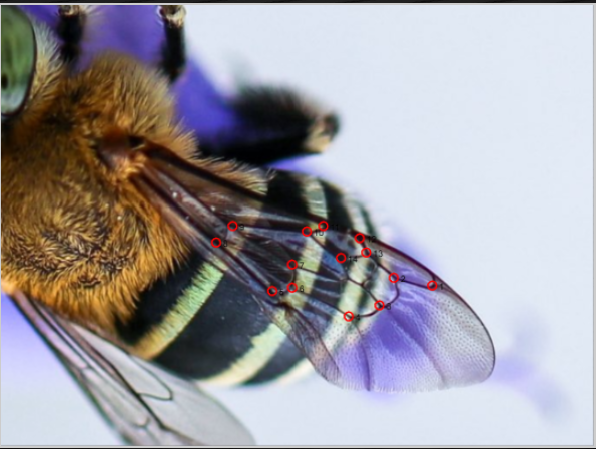
Figures 4–6. Additional visual examples
These figures provide additional annotated examples to assist users in visualising correct landmark placement across a range of venation configurations and reinforce consistency.
Why landmark precision matters
Across all evaluations, the primary source of misclassification was user landmark
placement rather than the analytical framework or software itself.
Accuracy remained consistently high at family, genus, and subgenus levels, but user
variability had the greatest influence on subgenus outcomes.
Classification logic and confidence
- Identification is attempted at the subgenus level first
- If confidence is insufficient, results revert to genus
- If genus confidence is insufficient, family level is returned
How to use AusWing Explorer
- Load your wing image using the Browse button
- Place landmarks strictly in numerical order
- Use Undo if a mistake is made
- Select Start Identification to begin analysis